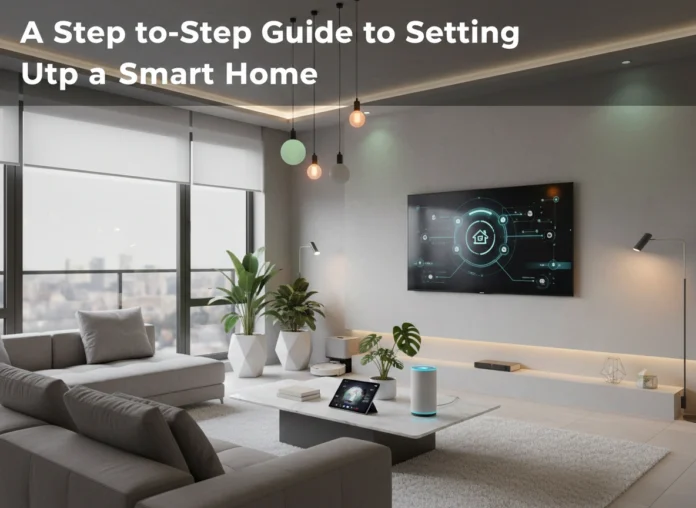
Transforming your house into a smart home can seem like a complex task, but the benefits in convenience, security, and efficiency are well worth the effort. A smart home uses internet-connected devices to enable the remote monitoring and management of appliances and systems, such as lighting and heating. This guide provides a clear, step-by-step process to help you plan, build, and maintain your ideal smart home environment. We will cover everything from initial planning and device selection to installation and long-term maintenance, ensuring you have the confidence to get started.
What is a Smart Home?
A smart home is a residence equipped with a network of devices that automate tasks traditionally handled by humans. These devices connect to the internet and can be controlled remotely via a smartphone, tablet, or central hub. The core idea is to create a seamless, responsive living environment that adapts to your needs.
The benefits extend far beyond simply turning lights on with your voice.
- Enhanced Convenience: Automate daily routines, like having your coffee maker start when your alarm goes off or adjusting the thermostat before you get home from work.
- Increased Energy Efficiency: Smart thermostats learn your schedule and optimize heating and cooling, while smart lighting can turn off automatically when a room is empty. This leads to noticeable savings on your utility bills.
- Improved Security: Smart security cameras, door locks, and sensors allow you to monitor your home from anywhere in the world. You can receive alerts for unusual activity, grant temporary access to guests, and have greater peace of mind.
- Greater Accessibility: For individuals with mobility challenges or disabilities, smart home technology can be life-changing. Voice commands and automated systems can help manage household tasks that might otherwise be difficult.
Step 1: Planning Your Smart Home
A successful smart home starts with a solid plan. Rushing into purchases without considering the big picture can lead to incompatible devices and a frustrating user experience.
Define Your Goals and Budget
First, ask yourself what you want to achieve. Are you looking for enhanced security, greater energy efficiency, or simple convenience? Your goals will determine which devices to prioritize.
- For Security: Focus on smart cameras, video doorbells, smart locks, and motion sensors.
- For Efficiency: Prioritize a smart thermostat, smart plugs, and smart lighting.
- For Convenience: Start with a smart speaker, smart lights, and perhaps some automated blinds or a smart coffee maker.
Next, set a realistic budget. You don’t need to automate your entire home at once. A common approach is to start small with one or two devices and expand over time. A basic starter kit, including a smart speaker and a few smart bulbs, can cost less than $100. A more comprehensive setup with thermostats, locks, and cameras can run into the thousands.
Check Your Wi-Fi Network
Your Wi-Fi network is the backbone of your smart home. All your devices will rely on it to communicate with each other and the internet. An old or underpowered router can cause lag, disconnections, and general frustration.
Ensure your router can handle multiple connections simultaneously. For larger homes, you may need a mesh Wi-Fi system, which uses multiple nodes to provide consistent coverage throughout the entire house. A strong, reliable network is non-negotiable for a smooth smart home experience.
Choose Your Ecosystem
Most smart home devices operate within a specific ecosystem, controlled by a central voice assistant. The three major players are Amazon Alexa, Google Assistant, and Apple HomeKit.
- Amazon Alexa: Works with a vast range of “Works with Alexa” devices. It’s known for its wide compatibility and extensive library of “Skills” (voice-activated apps).
- Google Assistant: Integrated into Google Nest devices, it excels at understanding natural language and leveraging Google’s powerful search capabilities. Look for “Works with Google Assistant” products.
- Apple HomeKit: Known for its strong focus on security and privacy. It has a more curated selection of compatible devices, but the user experience is often very polished and seamless for Apple users.
While many devices work with multiple ecosystems, choosing one as your primary platform will create a more unified experience. Your choice may depend on the smartphone you use or which voice assistant you prefer.
Step 2: Choosing the Right Smart Home Devices
With a plan in place, it’s time for the fun part: selecting your devices.
Smart Speakers and Hubs
This is the command center of your smart home. A smart speaker like the Amazon Echo (Alexa) or Google Nest Hub (Google Assistant) acts as a central hub. You use it to issue voice commands, play music, set timers, and control other connected devices. Some advanced hubs, like those from Hubitat or Aeotec SmartThings, offer more complex automation possibilities and support for additional communication protocols like Z-Wave and Zigbee.
Smart Lighting
Smart lighting is one of the easiest and most impactful entry points into home automation.
- Smart Bulbs: Simply replace your existing bulbs. You can control brightness, color, and set schedules directly from your phone or with voice commands.
- Smart Switches: These replace your existing wall switches. They control the entire circuit, meaning you can make all the lights in a room smart, even if they use non-smart bulbs. This is a great option for fixtures with multiple small bulbs.
Smart Thermostats
A smart thermostat, like the Google Nest Thermostat or Ecobee Smart Thermostat, is a fantastic investment for both convenience and energy savings. These devices learn your schedule and preferences, automatically adjusting the temperature to save energy when you’re away and ensure comfort when you’re home. Many can also be controlled remotely, so you can warm up the house on your way back from a winter trip.
Smart Security
Smart security devices provide peace of mind whether you’re at home or away.
- Video Doorbells: See and speak to visitors at your front door from anywhere. They also act as a security camera, recording motion at your entryway.
- Smart Security Cameras: Place them indoors or outdoors to monitor your property. Features often include night vision, two-way audio, and motion detection alerts sent directly to your phone.
- Smart Locks: Lock and unlock your door remotely. You can also grant temporary digital “keys” to guests, dog walkers, or service providers without needing to share a physical key.
Step 3: Setting Up Your Smart Home
Once you have your devices, follow these steps for a smooth installation process.
- Set Up Your Hub: Start with your main hub or smart speaker. Follow the manufacturer’s instructions, which typically involve plugging in the device, downloading its companion app, and connecting it to your Wi-Fi network.
- Install One Device at a Time: Avoid the temptation to unbox and install everything at once. Focus on one device, like a smart bulb. Install it physically, then use its dedicated app to connect it to your Wi-Fi.
- Connect to Your Ecosystem: Once the device is online, open your primary smart home app (Amazon Alexa, Google Home, or Apple Home). Use the “Add Device” function to link it to your ecosystem. The app will usually scan your network and find the new device automatically.
- Organize and Name Your Devices: As you add devices, group them into rooms (e.g., “Living Room Lights,” “Bedroom Thermostat”). Give devices clear, intuitive names. This makes controlling them with voice commands much easier. For example, “Alexa, turn on the floor lamp” is better than “Alexa, turn on Philips Hue Bulb 3.”
- Create Routines and Automations: This is where the magic happens. Use your hub’s app to create routines. A “Good Morning” routine could turn on your lights, raise the thermostat, and start playing your favorite news podcast with a single command. A “Leaving Home” routine could turn everything off, lock the door, and arm your security system.
Step 4: Maintaining and Upgrading Your System
A smart home isn’t a “set it and forget it” project. Regular maintenance ensures everything runs smoothly.
- Keep Software Updated: Manufacturers frequently release firmware and software updates that add new features, improve security, and fix bugs. Enable automatic updates whenever possible.
- Monitor Your Network: As you add more devices, keep an eye on your Wi-Fi performance. If you notice slowdowns, it might be time to upgrade your router or add a mesh node.
- Expand Thoughtfully: When you’re ready to add new devices, refer back to your initial plan and chosen ecosystem. Prioritize products that are compatible with your existing setup to avoid fragmentation.
- Review Your Routines: Your needs may change over time. Periodically review your automated routines and tweak them to better fit your lifestyle.
Start Your Smart Home Journey Today
Building a smart home is an exciting process that adds a new layer of comfort, security, and efficiency to your daily life. By starting with a clear plan, choosing the right ecosystem, and adding devices thoughtfully over time, you can create a connected home that is tailored perfectly to you. The technology is more accessible and affordable than ever before. Don’t be afraid to start small—even a single smart speaker and a few bulbs can make a big difference.
Please vist this website for more info

