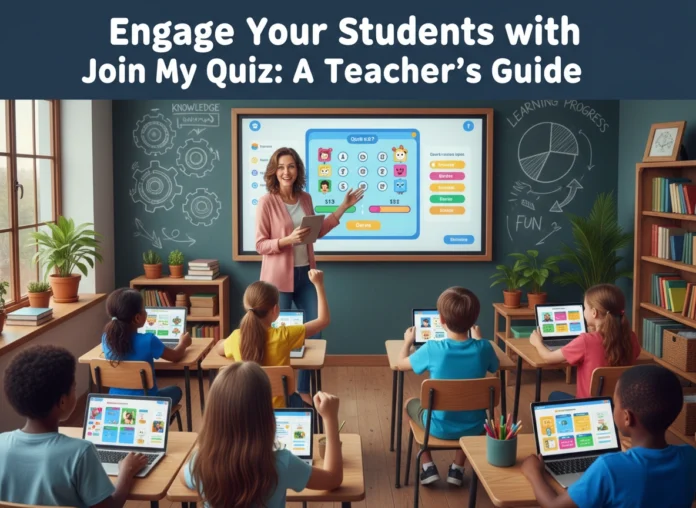
Capturing and holding student attention remains one of the toughest challenges educators face. You prepare an excellent lesson, gather your materials, and deliver your presentation, only to look out and see a sea of blank stares. Students tune out, become distracted, or lose interest when the material feels passive. You need a way to transform silent observers into active participants.
Interactive technology offers a powerful solution to this problem. By bringing gamified elements into your classroom, you can instantly shift the energy in the room. This guide explores how you can use interactive quizzing platforms to build a more dynamic learning environment. You will learn the benefits of digital quizzes, practical ways to integrate them into your daily teaching, and proven tips for designing questions that actually help your students learn.
The Challenge of Student Engagement
Every teacher knows that engagement drives learning. When students actively participate, they retain information better, understand complex concepts more deeply, and perform better on assessments. However, traditional lectures often fail to keep students involved. Sitting still and listening requires a high level of sustained focus that many students struggle to maintain.
You must compete with a highly stimulating environment outside the classroom. Students are accustomed to instant feedback, interactive media, and fast-paced information delivery. To bridge this gap, you must adapt your teaching methods to include tools that speak their language. Interactive quizzes tap into their natural desire for play, competition, and immediate results.
Key Benefits of Using Interactive Quizzes
Adding digital quizzes to your teaching toolkit provides several distinct advantages for both you and your students.
Instant Formative Assessment
Traditional paper quizzes require hours of grading. By the time you hand the results back to your students, they have often moved on to the next topic. Digital platforms grade responses instantly. You can immediately identify which concepts the class grasped and which topics need a quick review. If 80% of your class misses a specific question, you can pause your lesson and reteach that concept right then and there.
Increased Participation from Quiet Students
Every classroom has students who hesitate to raise their hands. They might fear giving the wrong answer in front of their peers, or they might simply need more time to process the question. Interactive quizzes give every student a voice. Because they answer through their own devices, the pressure of public performance disappears. You get an accurate picture of what the whole class understands, rather than just hearing from the most vocal individuals.
Gamified Learning Environment
Gamification uses game design elements in non-game contexts. Features like leaderboards, points, and timers make learning feel like play. Students push themselves to improve their scores or beat their previous times. This friendly competition creates a high-energy atmosphere where students actively want to answer questions correctly.
Getting Started: A Step-by-Step Approach
Introducing new technology into your classroom might feel overwhelming, but modern quiz platforms prioritize user-friendliness. You can set up your first interactive session in just a few minutes.
First, you need to create your content. Most platforms allow you to build questions from scratch or import existing quizzes from a shared library. Start with a short quiz—around five to ten questions—to help you and your students get comfortable with the format.
Next, prepare your students. Explain the purpose of the activity and how the scoring works. Ensure every student has access to a device, whether it is a school-issued laptop, a tablet, or a computer lab workstation.
Finally, launch the activity. Display the join instructions clearly on your interactive whiteboard or projector. Tell your class to join my quiz using the unique game code you provide. Once everyone logs in, start the game and watch the engagement soar.
Creative Ways to Integrate Quizzes into Your Lesson Plans
You can use interactive quizzes at various points during your instruction. Here are some of the most effective ways to build them into your daily routine.
Energizing Bell Ringers
Start your class with a short quiz to activate prior knowledge. As soon as students walk through the door, they grab their devices and answer three to five questions about yesterday’s lesson. This routine settles the class quickly, establishes a learning mindset immediately, and gives you a snapshot of what they remember before you introduce new material.
Mid-Lesson Knowledge Checks
Do not wait until the end of a long unit to find out if your students understand the material. Break your lectures into smaller chunks. After teaching a new concept for fifteen minutes, run a quick interactive quiz. This breaks up the monotony of listening, allows students to apply what they just heard, and helps you determine if you can move forward or if you need to provide more examples.
Meaningful Exit Tickets
The last five minutes of class provide a crucial opportunity to solidify learning. Use a digital quiz as an exit ticket. Ask questions that require students to summarize the main point of the day’s lesson. You can review this data after class to plan your instruction for the next day.
Comprehensive Review Sessions
Before a major test or exam, replace traditional study guides with an interactive game. Create a longer quiz that covers all the required material. The gamified format removes the stress typically associated with test preparation. Students stay highly engaged, and you can easily identify overarching knowledge gaps that require a final review session.
Best Practices for Designing Effective Quizzes
The success of an interactive quiz depends heavily on how you design the questions. A poorly constructed quiz can frustrate students and provide you with inaccurate data. Follow these best practices to ensure your quizzes serve your educational goals.
Keep Questions Clear and Concise
Your students should spend their time thinking about the answer, not trying to decipher the question. Avoid overly complex sentence structures and double negatives. State the question as simply and directly as possible.
Use High-Quality Distractors
A multiple-choice question is only as good as its wrong answers. The incorrect options—known as distractors—should be plausible. If a distractor is obviously wrong, it does not test the student’s knowledge. Use common misconceptions as your distractors. If a student chooses a specific wrong answer, you will know exactly where their reasoning went astray.
Mix Up the Question Types
Variety prevents boredom. If the platform allows it, use a mix of multiple-choice, true/false, fill-in-the-blank, and open-ended questions. Different question types require different levels of cognitive processing. A multiple-choice question tests recognition, while an open-ended question requires recall and articulation.
Manage Time Limits Carefully
Timers add excitement, but they can also cause anxiety. Adjust the time limit based on the complexity of the question. A simple vocabulary recall question might need only twenty seconds, while a complex math problem might require two minutes. If you notice students guessing randomly just to beat the clock, consider extending the time limit or removing it entirely for certain activities.
Provide Meaningful Feedback
When a student answers incorrectly, they need to know why. Take advantage of platform features that allow you to add explanations to the correct answers. Alternatively, pause the game after a difficult question to discuss it as a class. Emphasize that mistakes are a vital part of the learning process, not just a way to lose points.
Conclusion
Student engagement is the foundation of effective teaching. When students actively participate in their education, they learn more effectively and enjoy the process. Interactive quizzing platforms provide a simple, powerful way to transform your classroom dynamics. By offering instant feedback, encouraging participation from all students, and introducing a sense of play, you can create an environment where students genuinely look forward to learning.
Start small. Design a brief review quiz for your next lesson. Observe how your students react to the gamified format. As you become more comfortable with the technology, you can expand your use of these tools to include formative assessments, exit tickets, and comprehensive test reviews. By integrating these digital strategies into your teaching toolkit, you empower your students to take an active role in their own success.

